What does Norwood Light Broadband Fiber offer?
Norwood Light Broadband Fiber offers fast, reliable 100% fiber-optic internet with powerful Wi-Fi at symmetrical speeds and without data caps, hidden fees, or other unpleasant surprises.
Why does fast internet speed matter?
Whether you are working from home, streaming your favorite movie, video calling Grandma, or conquering the latest game, all those activities require fast, reliable internet for a great experience. Don't be restricted by slower speeds that get bogged down even more when everyone at home is on their favorite device. Whether wired or over Wi-Fi, the more people use an internet connection, the slower it may go. So it's important to have higher speeds available so that everyone can use the internet without slowdowns.
What is the difference between megabit and gigabit?
Megabits (Mbps) and gigabits (Gbps) are units of measurement for the speed in which information travels through the internet. Gigabits provide higher speed than megabits, and 100 megabits are ten times faster than 10 megabits. We offer a range of speed options from 1 gig to 3 Gigs for all your internet needs. Picking one depends on a few factors, including how you use the internet and how many devices will be on it at the same time. We can help talk you through the options.
What is symmetrical internet connection/speeds?
A symmetrical internet connection means that the data speed and file transfer rate are the same in both directions, i.e., download and upload speeds are identical. For example, streaming videos are downloading, whereas sending a file is uploading. Video conferencing is both because you're sending and receiving video at the same time. Symmetric connection speed is super important to avoid lag in either direction. Most internet providers offer slower upload speeds because of the limits of the copper cables they use. Our network is 100% fiber optic, so that limitation magically vanishes.
What happens during the installation?
Installation is broken into two parts. Outside installation is first, where we run the fiber optic cable from the service demark to the side of your home and connect it via a NID (grey box full of wizardry) that hangs inconspicuously on the outside. Then we install your router and set up the Wi-Fi inside your home. After that, it’s surf’s up!
If I need to change my installation appointment time, how can I do that?
Please contact us at 781-948-1150 and press option 2 to reschedule.
Can I use my own Wi-Fi system?
Yes, but if you use your own Wi-Fi system, please make sure that it fits the recommended specifications. Please note that the Norwood Light Broadband Fiber support team will not be able to support Wi-Fi systems manufactured by third parties. We highly recommend using the included Wi-Fi 7 router for optimum performance.
Can I run a server from my home?
Our Terms of Service prohibit running a server for commercial purposes. However, personal, non-commercial usage of servers that complies with our Acceptable Use policy is fine, including using a virtual private network (VPN) to access services in your home and using hardware or applications that include server capabilities for uses like multi-player gaming, videoconferencing, and home security.
How long will you support the equipment provided by Norwood Light Broadband Fiber? What should I do if it breaks?
Norwood Light Broadband Fiber Internet owns and supports the connectivity hardware provided by our service technicians. If the equipment provided breaks, we will replace it at no charge. If you have any additional questions, please give us a call at 781-948-1150 and press option 2.
Can I set up a guest or public Wi-Fi network?
Yes. Our Wi-Fi allows multiple accounts and passwords including guest passwords. Need to give the babysitter limited access? No problem. How about your weekend guests? Set their password to expire Sunday night. You have total control.
Which devices will be installed with Norwood Light Broadband Fiber?
A ONT (Optical Network Terminal) and Wi-Fi router are installed.
What is included and what is additional?
Both ONT (Optical Network Terminal) and Wi-Fi router are included at no charge. If you have a large home or thick walls that requires a signal boost, you can lease additional Wi-Fi units for $6.99 each per month. Please contact us at: 781-948-1150 and press option 2.
Can I keep my existing TV service?
No. For residential customers, Norwood Light Broadband Fiber is an internet/phone-only provider. We do not offer TV service, but with Norwood Light Broadband fast and reliable Internet connection you can stream TV through popular streaming services using your smart TV or a device such as a Firestick or Apple TV, typically at a fraction of the cost of your current cable package.
Can I keep my existing Phone service?
Yes. For residential customers, Norwood Light Broadband Fiber is an internet/phone-only provider. We do offer residential phone service for $24.99 per month for the 1st phone line. $14.99 for any additional lines.
I'm having construction at my home. Will that affect my internet?
It might. Call us at 781.948.1150 and tell us what you're having done so we can determine if we need to move your connection point or make any other changes.
Why fiber? Why is it better than copper?
Fiber optic cables offer higher speeds and more reliable service and transmit data upwards of 100x faster than traditional copper cables, which have limited bandwidth and transmission speed. Fiber cables use light rather than electronic pulses to transmit data so the signal travels farther without losing speed or signal. This means all your streaming services will stream, not stall, and you won't lose the game because your internet was too slow.
Are there any data caps on my internet connection?
No way! We want you to use and enjoy all of your super-fast Internet. There are no caps or limits to the amount of data you can send or receive. And we don't throttle back, ever. It's full speed all the time.
Will I be able to use Wi-Fi with Norwood Light Broadband Fiber?
Yes. Your Norwood Light Broadband Fiber internet service includes powerful Wi-Fi designed to give you access to high-speed fiber internet throughout your home. You can use your existing Wi-Fi if you prefer, but we can't offer the level of support you would get with ours. Switch to ours. You'll like it better.
Is your Wi-Fi mesh or extender?
We use eero, a sophisticated yet easy-to-use mesh network that delivers consistent signal strength throughout your home.
Do I need to buy a new computer to take full advantage of Fiber Internet?
To take full advantage of a Fiber 1000mbs/ 1Gbps connection, you’ll need a computer or laptop that supports a gigabit (in geek terms, this means having a 1Gbps 1000BaseT network interface card). Most newer computers and laptops already support gigabit speeds. But if you’re not sure if your computer or laptop does, consult your computer documentation and look for the following terms: 1000baseTx or 1000Mbps or 1Gbps or GigE.
Will my Wi-Fi connection be as fast as a wired connection?
No. Wi-Fi is slower than wired connections. However, the Wi-Fi technology in our mesh network provides great connectivity throughout your home or business.
Your service claims to offer symmetrical speeds. My old internet service only gave me part of the advertised speed at certain times of the day. Will I get all the bandwidth and speed with Norwood Light Broadband Fiber?
Devices that are hardwired to your new router will receive all the speed and bandwidth promised. Wireless speed depends entirely on the wireless network within your home and varies based on several factors including distance from the wireless connection point to the device, obstacles in between them, and environmental factors.
How to run a speed test Performing a speed test on your home network can be a great way to troubleshoot any issues you think you might be having with your internet connection. If you run a speed test and your upload and download speeds are much slower than the speeds provided by your internet plan, you may have an issue with your internet connection.
Not only does a speed test give you the upload and download speeds of your network at that current time, but it provides upload and download ping/latency results as well. For reference, if you have anywhere between 1-60ms of latency in your home network (for upload or download), those are considered great latency values. If your latency values are greater than 150ms, you may experience performance issues, and you’ll want to take a closer look at why your latency is so high.
For best results when running a speed test, we recommend the following:
- We recommend the speed test that Ookla offers, as I have had great experience using their speed test (and I feel it gives the most accurate results)
- Ensure you’re the only one using the internet when you perform the speed test
- Run the speed test multiple times throughout the day to get an average speed that your home network is seeing
- When running the speed test, connect your device to your router with an ethernet cable. This will ensure a poor Wi-Fi signal doesn’t affect your speed test results
How do I change my plan?
You can call us at 781-948-1150 and press option 2. Our representatives will be happy to assist you with making any changes to your service. There is no charge to change plans. We simply adjust your bill next month to reflect the change.
How and when will I be billed?
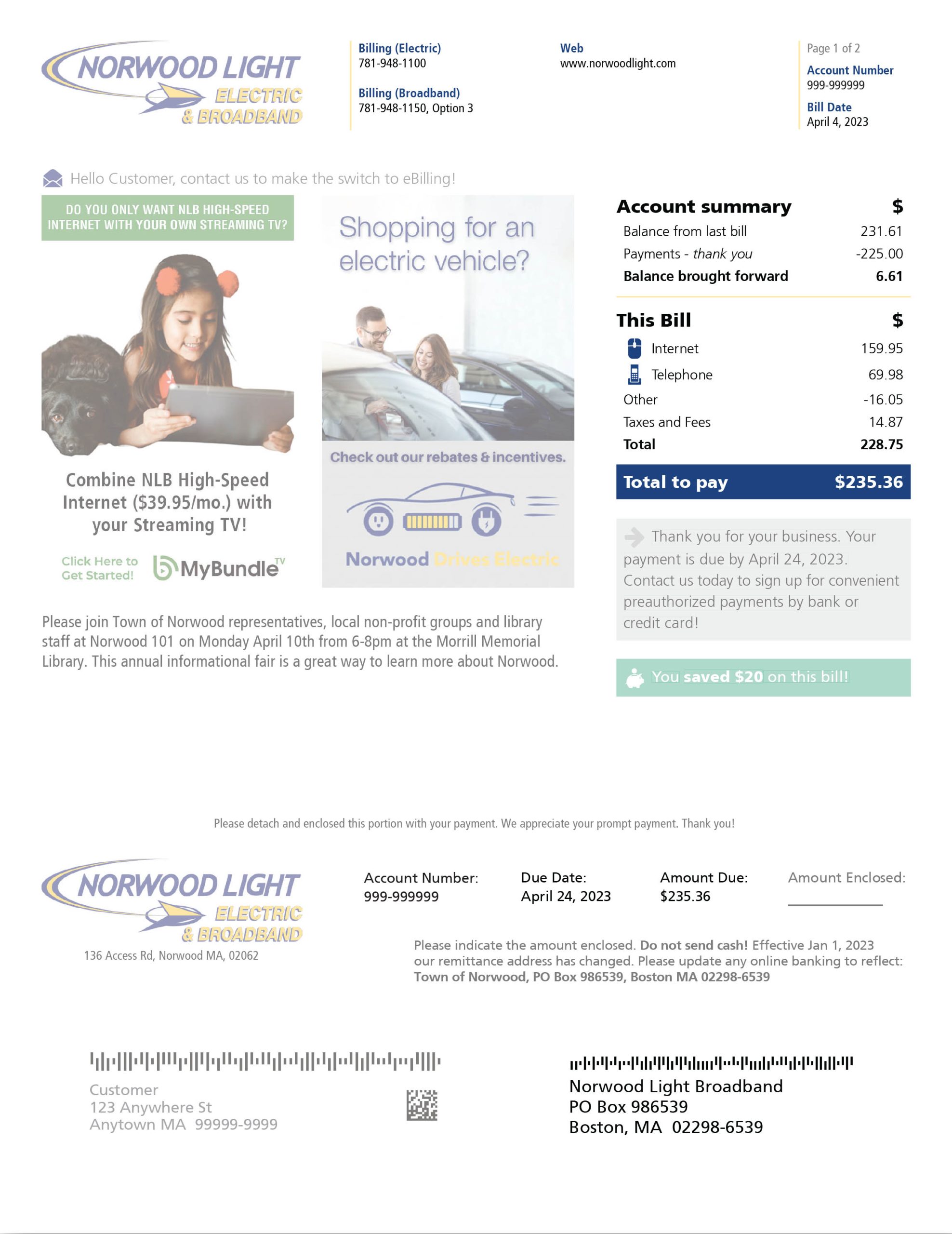
Monthly on the first business day of each month.
Why is my first bill higher than expected?
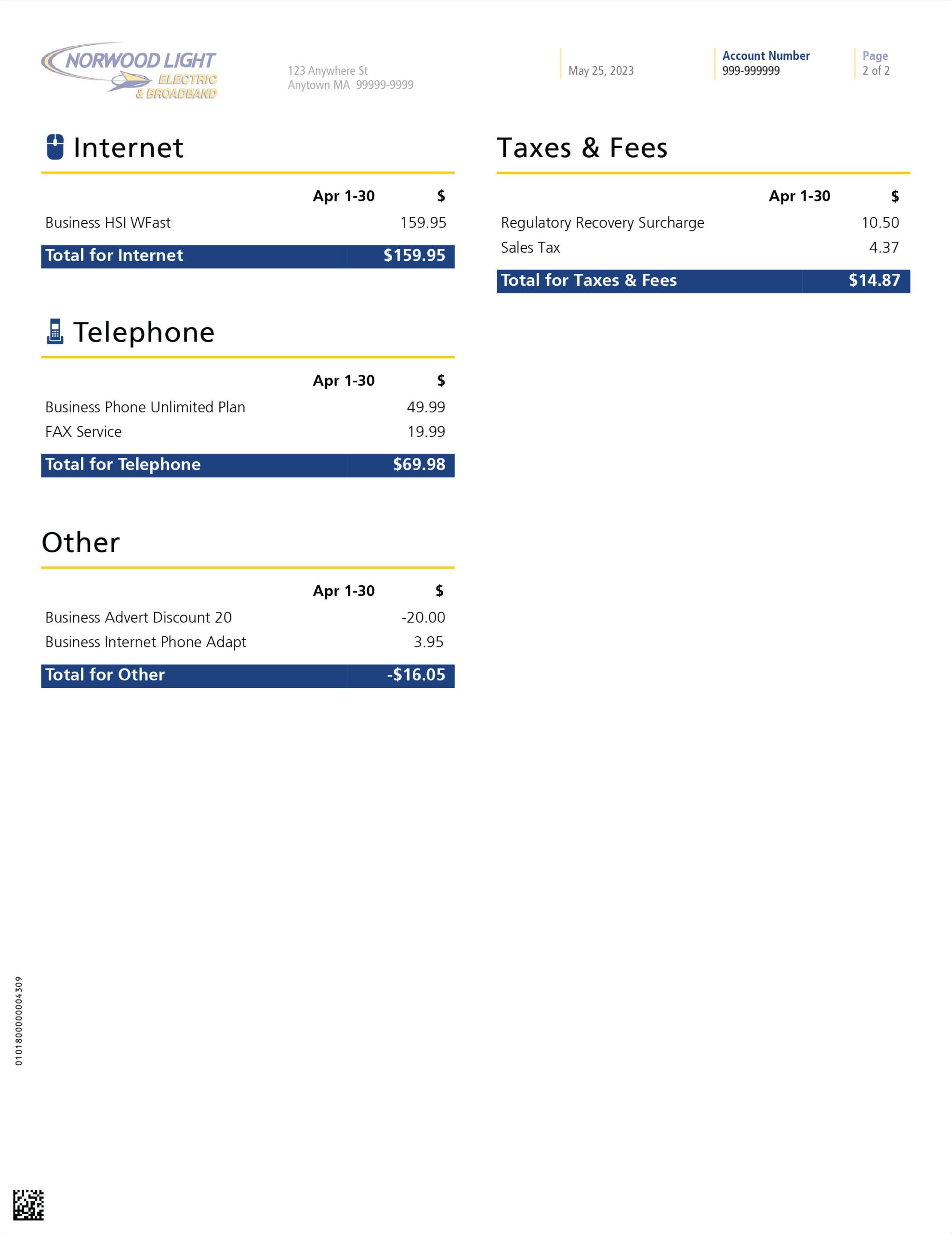
We bill each month’s charges in advance. As an example, if you sign up in September you will not receive your first bill until the first week of October in which it will show prorated charges for the month of September and a full month’s charges for October. This is due to the date your service started. If your installation was completed before your billing cycle began, your first bill will be a little higher. Don't worry, this only happens once. Your next bill will be back to normal.
What payment options do I have?
- Credit/Debit cards with a Visa®, American Express®, Discover®, or MasterCard Logo® ( 3% service fee added to all credit/debit card payments)
- Electronic check payments (will need routing number and checking account number)
- Automatic Withdrawal from checking or savings account (Customers with Automatic Withdrawal and email billing will receive $5.00 credit towards monthly bill)
- Check payments mailed thru the US Post office
- Pay in person at the Town Hall or Light Department
- Pay by phone 781-948-1150 with e-check or credit/debit card (fees apply)
Will I receive a paper bill?
We send a paper bill by default. You can sign up for email billing. If you choose to sign up for email billing and ACH automatic payment you will receive a $5 credit towards your monthly bill. (This $5 credit is for fiber internet customers only, not legacy internet.)
I moved. How do I move my Norwood Light Broadband Fiber service to my new address?
Norwood Light Broadband only services the community of Norwood, MA. If you are moving within the Norwood community. To start your move process, contact our customer support team at 781-948-1150 and press option 2.